How to use EV charging stations in the UK: A first-timer's guide
.jpg)

Using a public EV charging station for the first time can be daunting. There's the unfamiliar equipment, different payment methods, and perhaps a few questions about whether you're doing it right. But here's the good news: it's far simpler than it looks, and after a couple of charges, it'll feel completely natural.
This guide walks you through the entire process using the Zest network as our primary example. The process is similar across most UK charging networks, so these steps will serve you well wherever you charge.
Before You Arrive at the Charging Station
A little preparation makes your first charging experience much smoother. Here's what to sort out before you set off.
⚡ Download the Zest app in advance. You can charge with Zest using the mobile app, which gives you access to over 1,300 charging locations across the UK. Having it set up beforehand means you won't have to worry about registration whilst standing in a car park.
Identify your vehicle's connector type. Most modern EVs in the UK use either Type 2 (for AC charging) or CCS (Combined Charging System, for DC rapid charging). Check your vehicle handbook or the charging port to confirm. This matters because you'll want to choose charging stations that match your vehicle's capabilities.
Check charger availability and pricing via the app. The Zest app displays real-time availability at each location, allowing you to see which chargers are available before you arrive. You'll also see pricing upfront, which helps you budget accordingly.
Consider choosing a quieter location for your first charge. Pick a charging station that's not on a busy motorway service for your first attempt. Somewhere with a bit more time and space takes the pressure off while you're getting familiar with the process.
Understanding UK Charger Types
Before we dive into the step-by-step process, it's helpful to understand the type of charger you're using. Different chargers deliver power at different speeds, and matching the right charger to your dwell time makes all the difference.
.jpg)
⚡ Practical tip: if you're stopping for a meal, a fast charger is often the ideal choice. If you need to get back on the road quickly, opt for rapid or ultra-rapid charging. The Government's Energy Saving Trust offers additional guidance on selecting the optimal charging speed for your specific needs.
Zest offers a mix of fast, rapid, and ultra-rapid chargers across our network so that you can find the right match for your journey. Check our charging station locations to see what's available near you.
Step-by-Step: How to Charge Your EV at a Public Station
Now for the main event. Here's exactly how to charge your vehicle at a Zest charging station, with clear instructions for each step.
1. Park Appropriately
Check which side your charging port is on before you pull into the bay. Most EVs have the port on the driver's side (right) or passenger's side (left), and you'll want to park so the cable can reach comfortably.
Position the device close enough to the charger that the cable can reach without stretching. Leave yourself room to open your charging port cover easily.
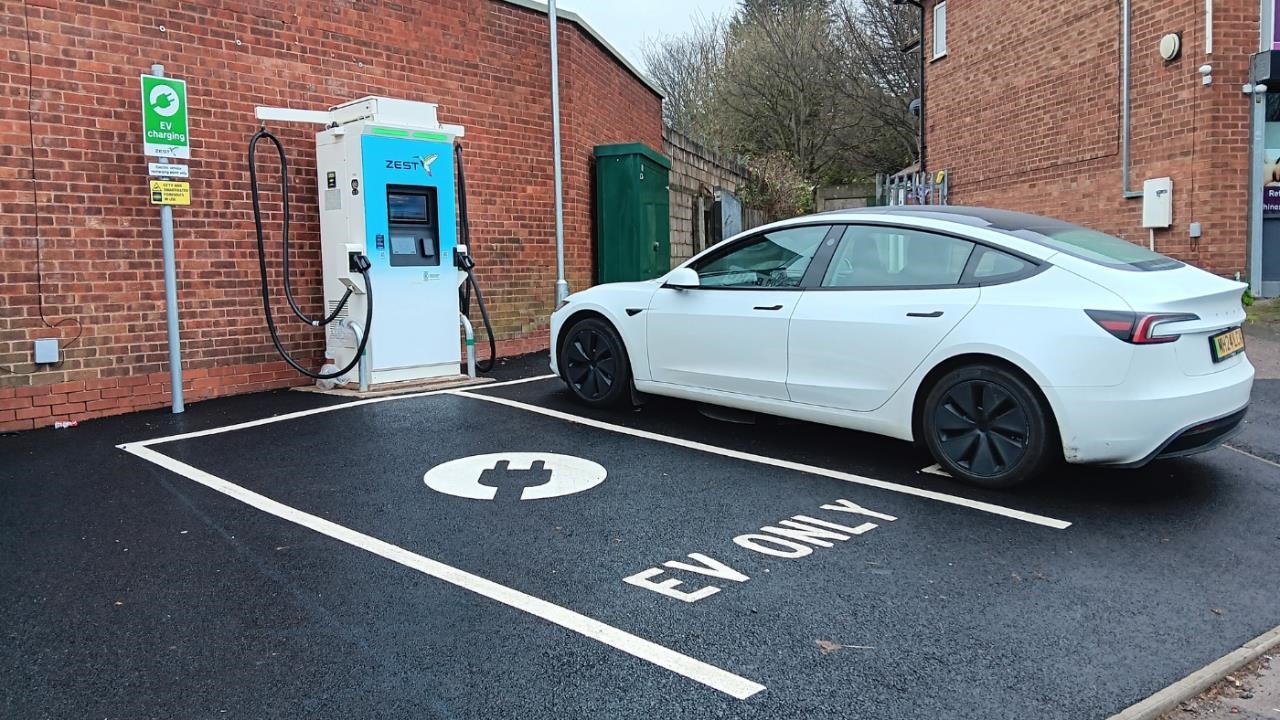
Make sure you're parked within the designated EV charging bay. These bays are specifically for charging vehicles, and parking enforcement can (and will) issue fines for non-charging vehicles using these spaces.
2. Unlock Your Charging Port
Most electric vehicles require you to unlock the charging port before it can be opened. This is typically done via a button inside the car (often near the driver's seat) or by pressing the unlock button on your key fob.
Open the charging port cover. Some vehicles have a flap that swings open; others have a cover that pushes in.
If you're unsure where your charging port release is located, refer to your vehicle's handbook. It's usually clearly marked with a charging symbol.
3. Select Your Payment Method
Zest chargers offer two straightforward payment options: the Zest app and contactless payment.
Using the Zest app (recommended):
- Open the app and select the charger you're using
- The app will show you the charger number and pricing
- Tap 'Start Charging' when you're ready
- You'll see confirmation that the session has been initiated
Using contactless payment:
- Tap your contactless card or device on the payment reader
- Wait for confirmation (usually a light or beep)
- The charger will be ready to connect
The app typically offers the best rates and makes it easier to track your charging history.
4. Collect the Charging Cable
Remove the charging cable from its holster on the charging unit. The cable should pull out smoothly—if it feels stuck, check whether you need to lift a latch or press a release button.
Check the connector end for any visible damage or debris. It should be clean and dry. If you notice any damage, don't use that charger and report it through the app.
Most Zest rapid and ultra-rapid chargers have attached cables (tethered), which means you don't need to use your own cable. For AC chargers, you may need to use the cable that came with your vehicle.
5. Connect to Your Vehicle
Line up the connector with your vehicle's charging port. The shape is designed to fit only one way, so don't force it.
Push the connector firmly into the port until you hear or feel it click into place. The connector should lock automatically, you shouldn't be able to pull it out easily once it's properly connected.
If the connector doesn't fit or won't click in, check you've got the right orientation. Never force it; the connector and port can be damaged if you're too rough with them.
6. Confirm Charging Has Started
Look for confirmation that charging has begun. Most chargers show a green light when active, and many vehicles display a charging indicator on the dashboard or near the charging port.
Check the Zest app for confirmation. You should see the session is active, along with real-time information about charging speed and the amount of energy being delivered.
Your vehicle may also lock the charging cable automatically when charging starts. This is normal and prevents anyone from unplugging your vehicle whilst you're away.
7. Monitor Your Session
Once charging has started, you're free to leave your vehicle. The Zest app lets you track progress remotely, showing how much energy you've received and how much the session will cost.
You'll receive notifications when your charge is complete or if there are any issues with the session. This means you can grab a coffee or run errands without constantly checking your vehicle.
Most rapid and ultra-rapid chargers automatically slow down once your battery reaches about 80% charge. This is normal battery management and helps protect your battery's long-term health. If you're in a hurry, 80% is usually plenty for most journeys.
8. Disconnect and Finish
When you're ready to finish charging, stop the session through the app or tap your contactless card again on the reader. Wait for confirmation that the session has ended.
Unlock your vehicle using your key fob. This will typically unlock the charging cable (some vehicles require you to press the charging port release button again).
Press the release button on the charging connector (if there is one) and pull it out of your vehicle's charging port. Return the cable to its holster on the charging unit, making sure it's properly secured.
Close your vehicle's charging port cover and collect your receipt. The Zest app automatically provides VAT receipts, which you can access through your account for business claims.
.jpg)
Common Questions and Simple Solutions
Even experienced EV drivers occasionally run into minor issues. Here are the most common situations and how to resolve them quickly.
The Charger Won't Start
Check the cable connection first. Disconnect and reconnect the cable, making sure it clicks firmly into place. The cable needs to be fully seated for the charger to detect it.
Verify you've selected the correct charger in the app. Each charger has a unique number—make sure the number on the physical unit matches what you've selected in the app.
Try the contactless payment option. If the app isn't working, contactless payment provides an alternative way to start your session.
If none of these steps work, contact Zest's support team through our helpline at 0800 865 4245 for immediate support, or email customersupport@zest.uk.com for non-urgent support. We have the UK's largest in-house team of charge point operators, and we're available to help resolve issues quickly.
Charging Slower Than Expected
Check your battery's state of charge. As batteries approach 80-100% capacity, charging automatically slows down to protect the battery. This is expected behaviour.
Confirm your vehicle's charging limits. Not all EVs can accept the maximum speed offered by ultra-rapid chargers. For example, if your car has a maximum DC charging rate of 50kW, you won't charge any faster on a 150kW charger.
Temperature affects charging speed. Cold batteries charge more slowly than warm ones. In winter, your first charging session of the day may be slower until the battery warms up.
Check the charger type. Make sure you've connected to a rapid or ultra-rapid charger if you need a quick charge. Fast chargers (7-22kW) are designed for more extended stays.
The Cable Won't Release
Unlock your vehicle first. Most EVs lock the charging cable when charging begins and won't release it until you unlock the car with your key fob.
Stop the session through the app. Make sure the charging session has fully ended before trying to disconnect. Wait for confirmation in the app.
Check for an emergency release. Your vehicle's handbook will show you where the manual charging cable release is located, usually inside the car. This should only be used if the standard release method doesn't work.
Payment and Receipt Concerns
Pre-authorisation holds are normal. When you use contactless payment, you may see a temporary hold on your account (often £30-50). This is released once the final charge is calculated, usually within a few days.
Check your final charge amount. You only pay for the energy you actually use. The pre-authorisation amount is just a hold, not the final charge.
Download receipts through the app. All your charging sessions are recorded in the Zest app, and you can download VAT receipts for each transaction. This makes expense claims straightforward for business users.
If you're charged incorrectly or notice a discrepancy, contact Zest's support team with your transaction details. We'll investigate and resolve any billing issues promptly.
Why Choose the Zest Network
Now you know how to use public charging stations, here's why thousands of drivers choose Zest for their charging needs.
Over 1,300 charging locations UK-wide. We're one of the fastest-growing EV charging networks in the UK, with chargers strategically placed where you naturally spend time—shopping centres, car parks, restaurants, and community hubs. Find your nearest charger on our location finder.
Integrated with major charging platforms. Zest chargers are available through Octopus Electroverse and Allstar, giving fleet drivers and consumers easy access through the platforms they already use. This means one app can access multiple networks.
Competitive pricing with transparent costs. We offer some of the most competitive charging rates in the UK, with the best prices available through the Zest app. You'll always see the cost upfront before you start charging—no surprises.
Backed by a dedicated operations team. We have the UK's largest in-house charge point operator team, which means faster response times for maintenance and repairs. Our reliability record is something we're genuinely proud of, with high uptime across our network.
Support when you need it. The Zest app provides in-app support, and we've partnered with the AA to offer emergency helpline assistance. You're never left stranded if something goes wrong.
Easy VAT receipt access. Business users can download detailed VAT receipts for every charging session, making expense claims and tax reporting straightforward.
.jpg)
Ready to Start Charging?
Public EV charging genuinely is straightforward once you've done it a couple of times. The steps become second nature, and you'll wonder why you ever worried about it.
Download the Zest app to get started. It's available on iOS and Android, and setting up an account takes just a few minutes.
Find your nearest Zest charger using our location finder. You can filter by charger type, so you find exactly what you need for your journey.
Give yourself extra time for your first charge. There's no rush—take the time to follow each step and get comfortable with the process. After that, it'll be as routine as filling up with petrol ever was.
The UK's public charging network is expanding rapidly, with Government support for infrastructure rollout continuing through initiatives like LEVI funding. With over 50,000 public charging points now available across the UK, charging away from home is becoming easier every month.
Zest is committed to making electric vehicle charging accessible for everyone. We're working with local authorities and commercial partners to deploy charging infrastructure where it's needed most—helping the UK meet its net zero targets whilst making EV ownership practical for all.
If you have questions that aren't covered in this guide, check out our news and resources section for additional articles about EV charging. We regularly publish guides on topics like workplace charging, hospitality EV infrastructure, and commercial real estate opportunities.
Happy charging!
.png)